
Open Music Player
by Vasiliy Tatarli
"Play your own audio files and folders on iPhone and iPad, offline after download. Light Vinyl and Graphite Lime themes, equalizer and sleep timer. "
Screenshots




About Open Music Player
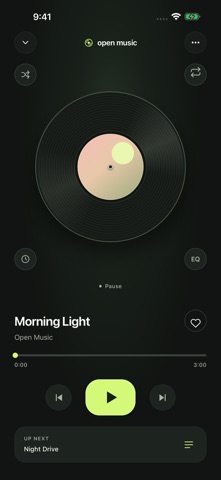
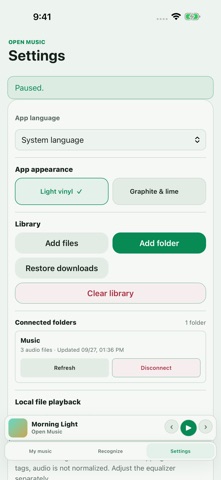
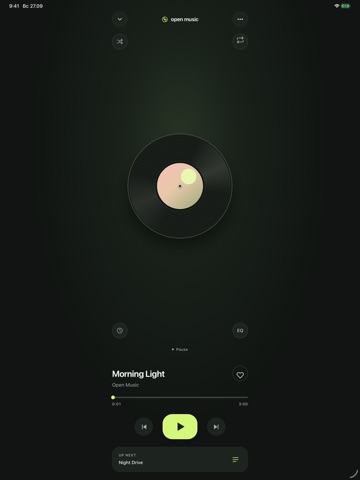
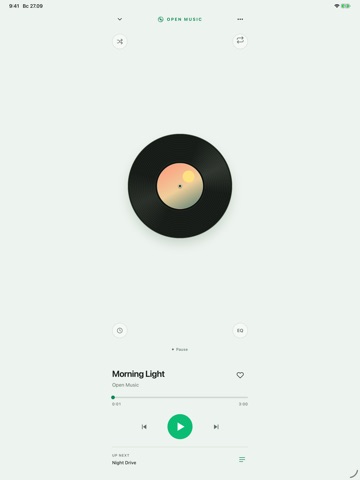
Open Music Player is a private, local music player for your own audio library. It does not scan your entire device: you choose the individual audio files or folders you want to add. Features: • Add individual files and selected folders. • Refresh connected folders to find new, changed, or removed files. • Browse songs, favorites, albums, artists, playlists, and smart collections. • Control the play queue, shuffle, and repeat modes. • Use the equalizer and sleep timer. • Control playback in the background and from the Lock Screen. • Identify music playing nearby or from a selected audio file. • Clear the app library without deleting the original audio files. Your library, favorites, playlists, queue, listening history, song-identification history, and settings stay on your device. There are no ads and no required account. Optional technical diagnostics can be enabled or disabled in Settings. The app interface supports English, Russian, Bulgarian, Spanish, German, Italian, French, Japanese, and Simplified Chinese. It automatically follows a supported device language, with a manual language choice available in Settings. Playing files available on your device does not require an internet connection. Song identification requires internet access. Automatic technical diagnostics are off by default and are enabled only with your consent. A vinyl player with two appearances for the whole app: Light vinyl and Graphite & lime. Choose in Settings, with shuffle, repeat, the sleep timer and equalizer beside the record. To transfer music from a Mac, connect your iPhone or iPad by cable and copy a folder to Open Music using Finder. Then connect it using Add folder in the app settings.
More Subscription-Free Music Apps

